Doctor
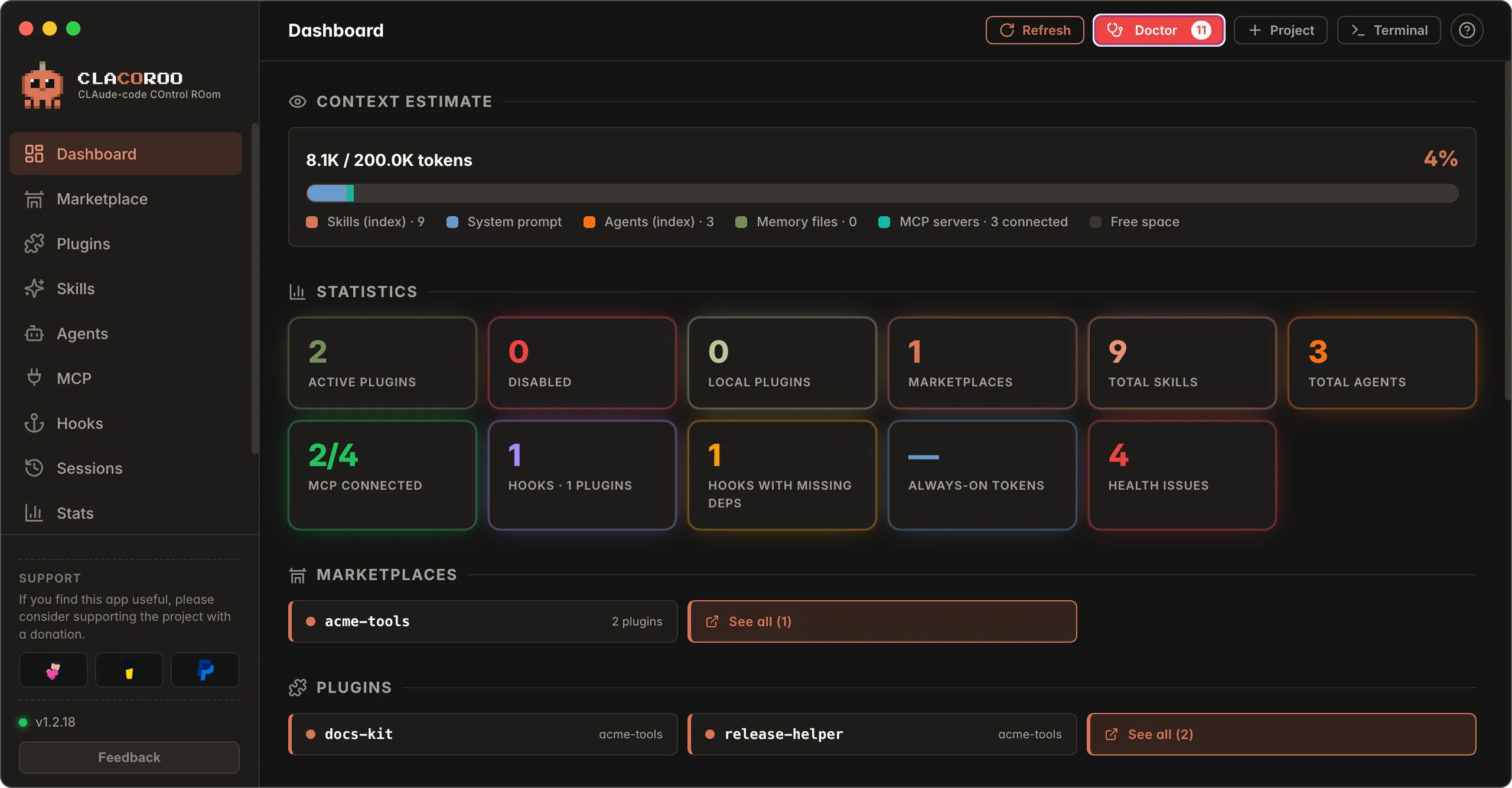
The red Doctor button in the header, next to Refresh, checks your Claude Code setup and shows what to fix in a window. It runs only when you press it: no automatic checks in the background.
What it checks
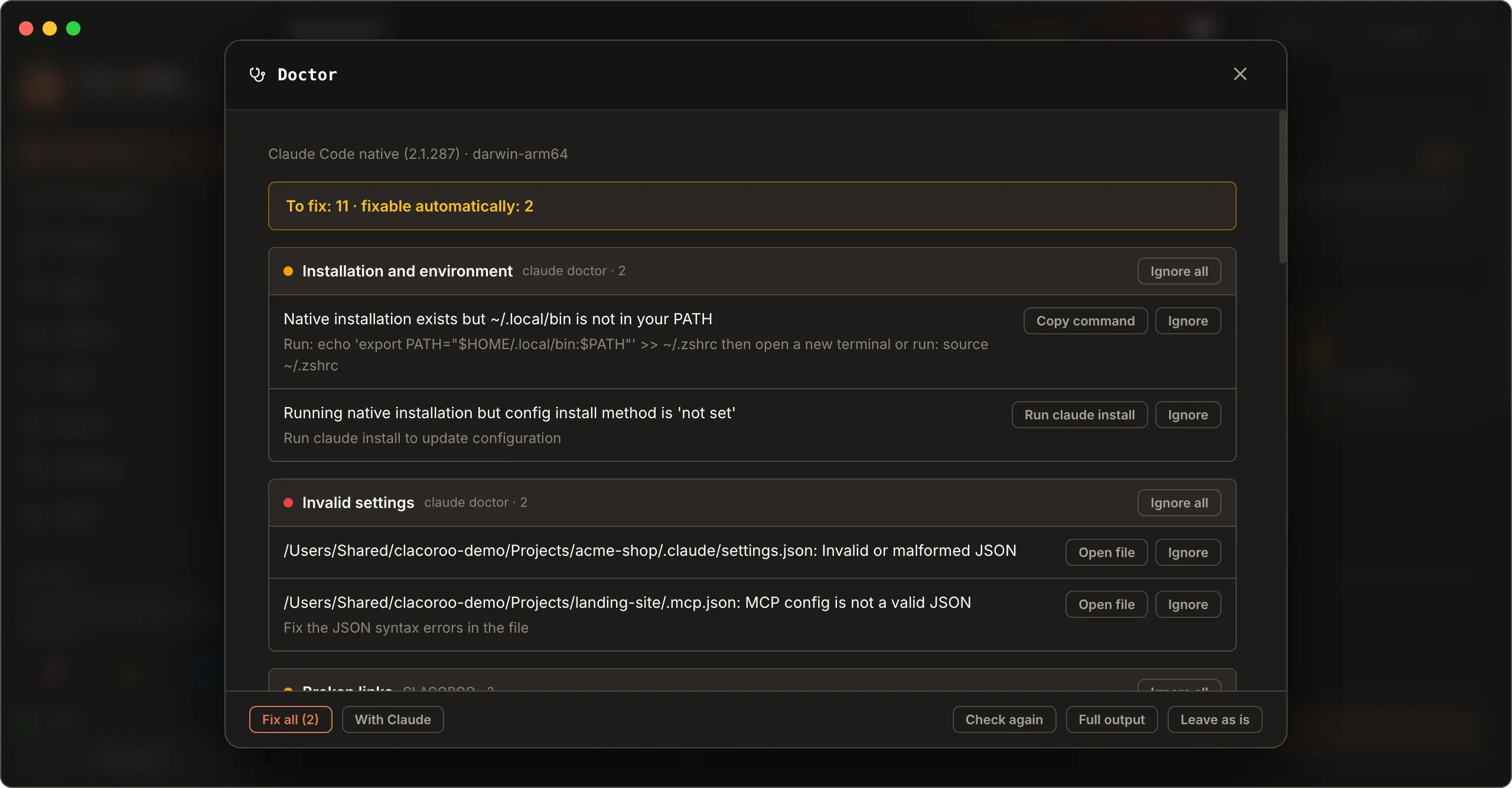
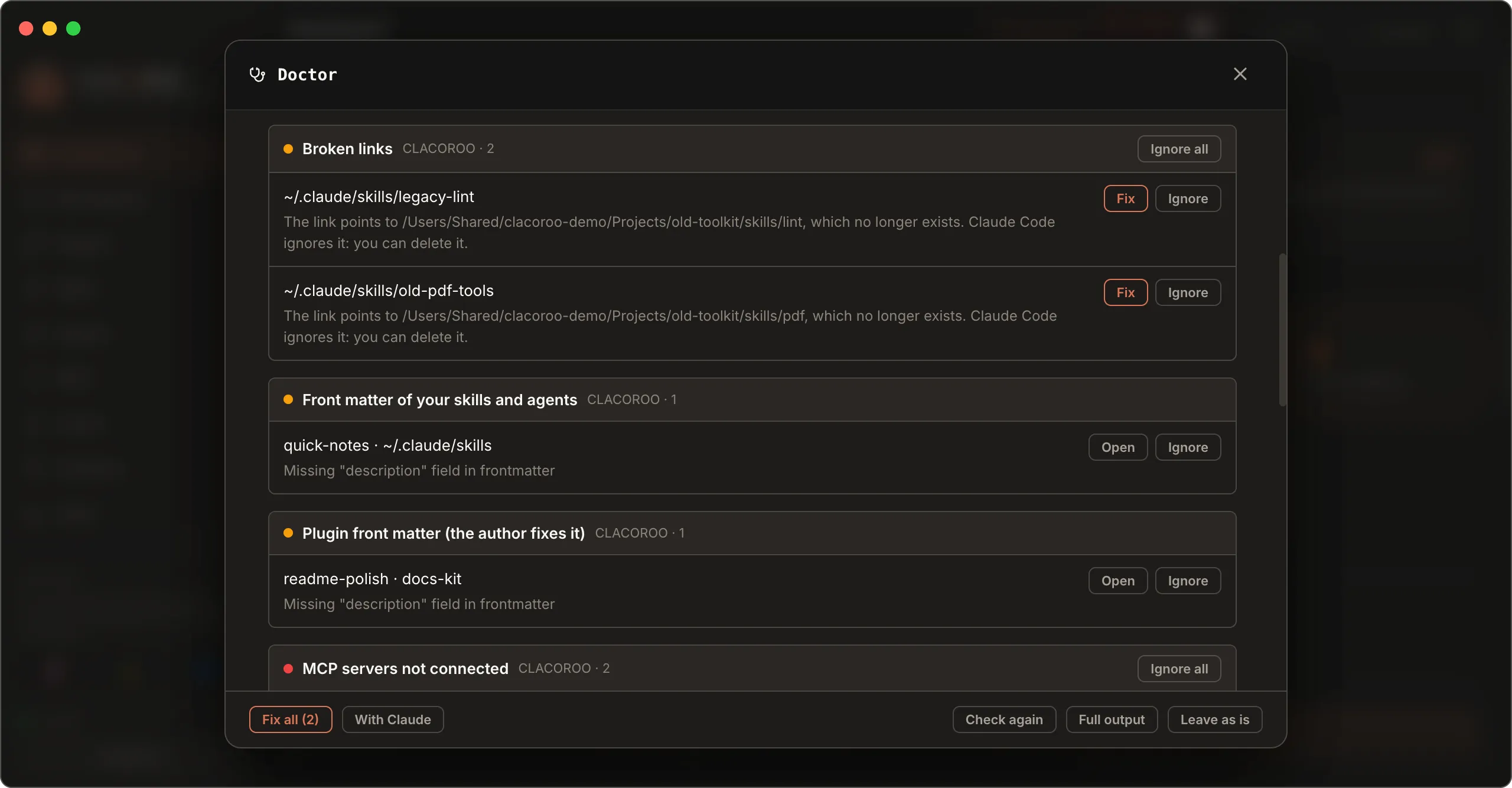
claude doctor: the official Claude Code check, run in your home folder and in the tracked projects that have a.claudefolder or a.mcp.jsonfile (up to 8). Installation, PATH, version and auto-updates, invalidsettings.jsonand.mcp.jsonfiles, the macOS Keychain. Items keep Claude Code’s original wording.- Broken links in
~/.claude/skills,agentsandcommands. - Front matter of skills and agents: missing name or description. Both your own items and those of active plugins count (the plugin author fixes the latter: you can open or ignore them). Items of a disabled plugin don’t count, because Claude Code doesn’t load them.
Skills, agents and commands with a problem are the same ones you find in the Warning filter of the Skills section and in the Health issues KPI on the Dashboard: a click on the KPI opens the Doctor.
- MCP servers that fail or need authentication.
- Hooks that need a program that is not installed.
After the check the button shows a badge with the number of problems. When you reopen the window you see the last result right away, updated in the background (“Updating…” appears).
Which folders it checks
claude doctor reads the settings of the folder it runs in. That is why CLACOROO runs it in your home folder and in every tracked project (up to 8) that has a .claude folder or a .mcp.json file. Tracked projects are the ones you added yourself with the Project button in the header: they are not derived from what you did in the past, and a project that isn’t tracked is not checked.
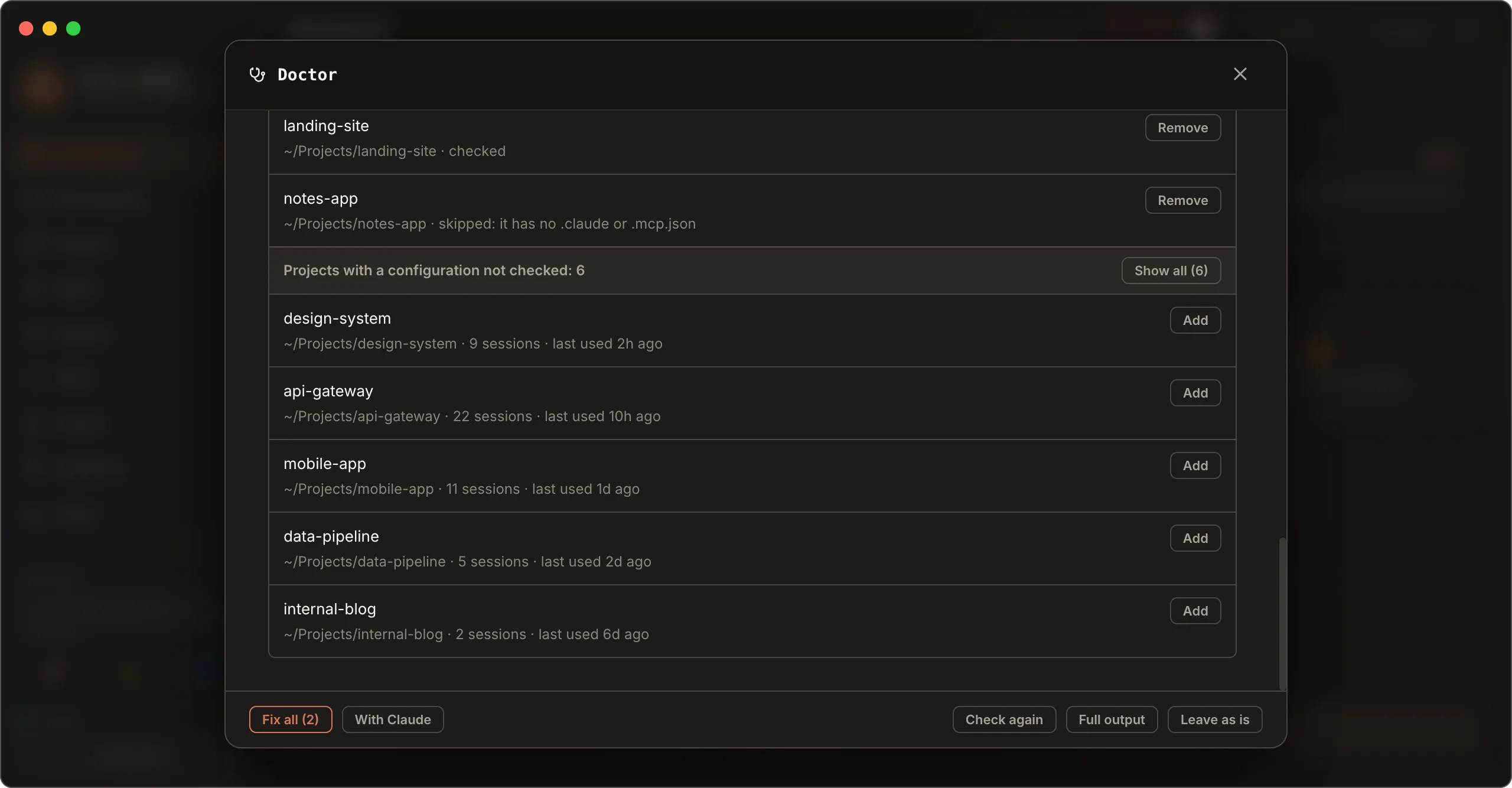
At the bottom of the window, Folders checked shows where it ran:
- your home folder and the tracked projects, each with the outcome: checked, skipped (no configuration, or over the limit of 8) or the folder no longer exists. The Remove button takes the project off the list;
- Projects with a configuration not checked: projects Claude Code used recently that aren’t tracked, most recent first, with sessions and last use. Add includes them in the next checks. Your home folder, temporary folders and hidden folders inside your home, such as service sessions of other tools, don’t appear.
Tracked projects are also managed from the Projects button in the header: the window lists them, lets you add or remove them and, when you click a project, shows only the plugins, skills, agents, commands and MCP servers it has locally. A Manage projects link is also in Settings.
To load skills and plugins only in the projects that use them, see Projects.
What you can do with each item
| Action | When |
|---|---|
| Fix | Safe, reversible fixes, with confirmation. Today it moves a broken link to the Trash |
| Open file | An invalid settings file to fix by hand |
| Copy command | A shell command suggested by Claude Code, for example the PATH line. CLACOROO doesn’t run it for you |
| Run | A suggested claude command, for example claude install: it starts in the built-in terminal, where you see what happens |
| Open / Go to | Opens the skill to fix, or the MCP or Hooks section |
| Ignore | Hides the item and removes it from the count, also in the Dashboard KPI; the choice is saved. When the problem goes away, the ignored item is removed by itself, so if it comes back you see it again. Show ignored brings them back, with Restore |
Fix all applies the safe fixes together, after a confirmation that lists them. It doesn’t change configuration files, CLAUDE.md or your shell. Leave as is closes the window without changing anything.
With Claude
The /doctor command inside a Claude Code session runs a broader checkup (unused extensions, CLAUDE.md to trim, permissions) and proposes fixes you approve one by one. It uses the model, so it uses quota.
With Claude opens a session in the built-in terminal and puts /doctor on the clipboard: paste it when the session is ready and press Enter. CLACOROO doesn’t start it by itself because Claude Code may first ask whether you trust the folder.
Edge cases
- claude doctor doesn’t respond. CLACOROO can’t find the Claude Code binary: set the path in Settings.
- The check takes a few seconds. It also checks the MCP servers, which are started for the test.
- “Output not recognised” appears. The
claude doctorformat changed in a new Claude Code version: see Full output for the original text. - An item isn’t clear. Full output shows the original
claude doctortext for every folder checked.
Related
- Skills and Agents: front matter, broken links, deletion
- MCP servers: authentication and error causes
- Hooks: programs required by hooks
- Claude Config: settings and permissions