Projects
The Projects button in the header opens the window of the projects CLACOROO keeps an eye on. It does two things: it shows what each project has locally, and it lets you load skills and plugins only in the projects that use them, instead of in every session.
The list
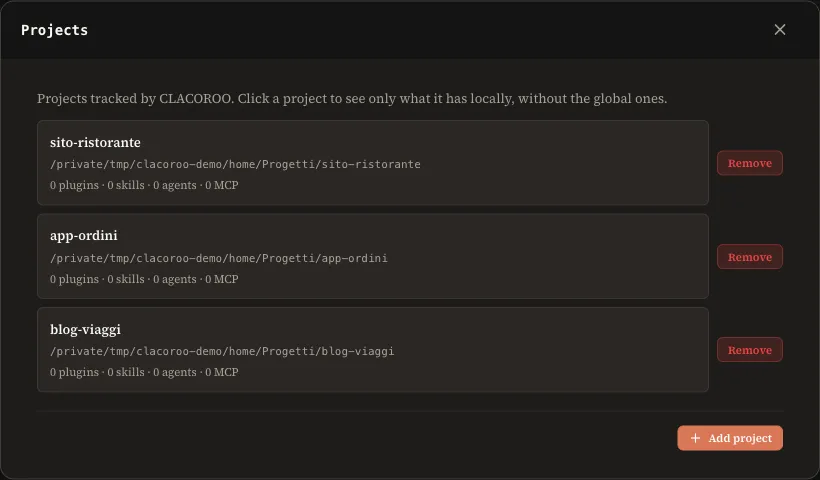
- Add project opens the Finder to pick a folder. After you choose it you stay in the window.
- Remove takes the project out of CLACOROO. Nothing is deleted from disk.
- A project whose folder no longer exists is marked Folder not found.
Tracked projects are also the ones the Doctor checks.
Inside a project
Click a project to see only what it has locally, without the global plugins and skills: plugins, skills, agents, commands and MCP servers.
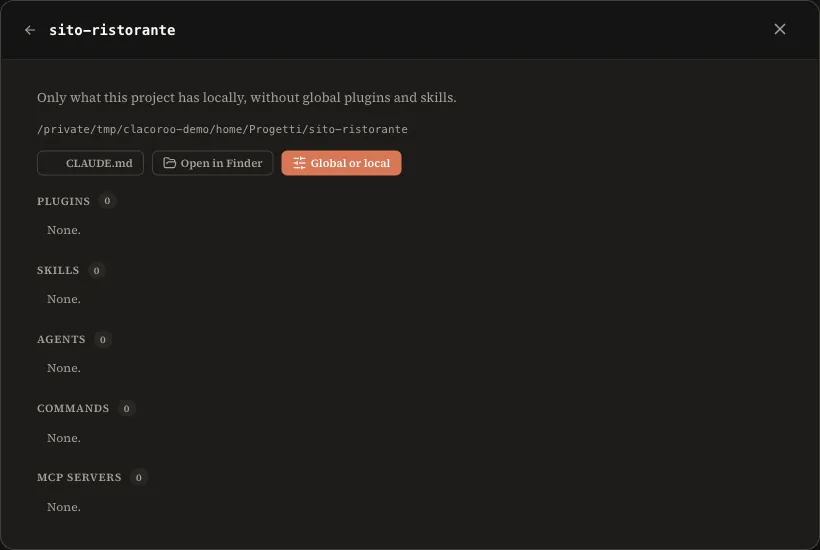
Three buttons sit at the top: CLAUDE.md opens the project’s file in the editor, Open in Finder the folder, Global or local the view described below.
Global or local
A global skill or plugin takes space in the context of every Claude Code session, even in projects that never use it. With Global or local you load it only in the projects you choose.
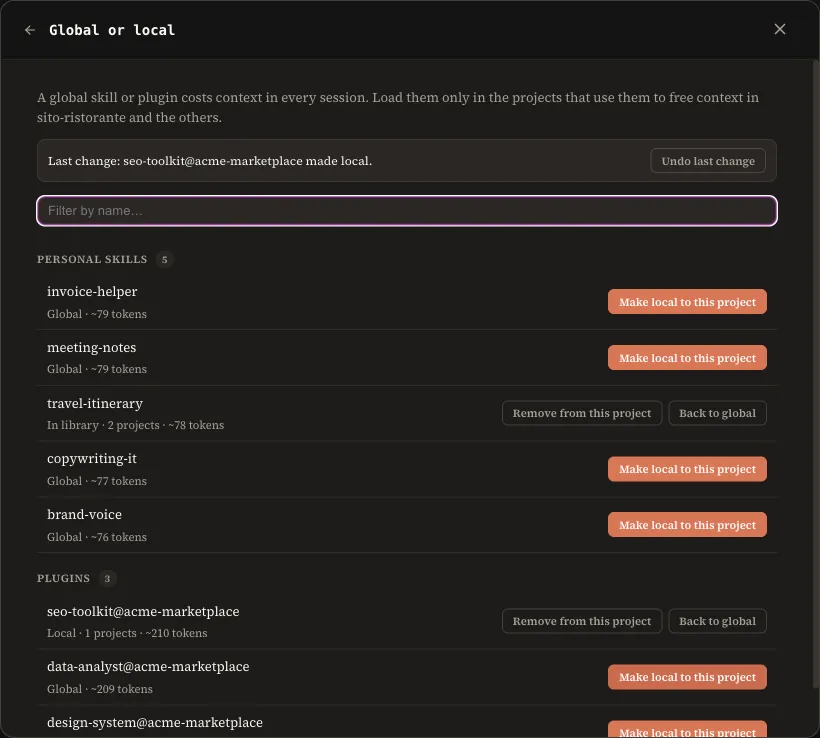
For each personal skill and plugin you see where it lives (Global, In library, Local), in how many projects it is loaded and its estimated weight in tokens. The filter at the top searches by name.
Move an item to a project
- Press Make local to this project on its row.
- The preview opens. Tick more projects if you want to assign it to several.
- Check the list of changes and the estimated saving.
- Press Apply.
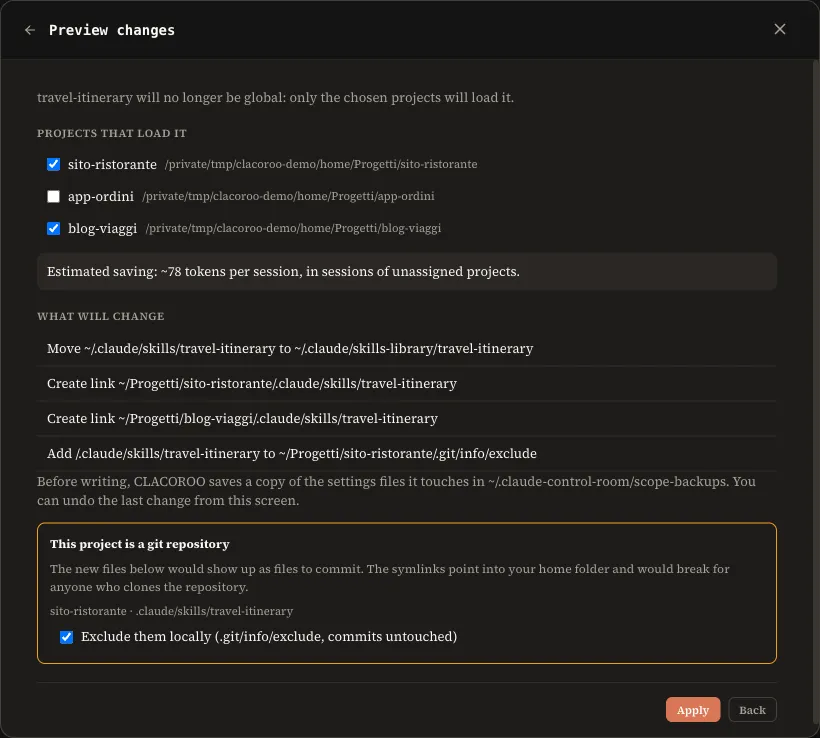
What changes on disk:
| Item | Before | After |
|---|---|---|
| Personal skill | in ~/.claude/skills | the folder moves to ~/.claude/skills-library and each assigned project gets a link in .claude/skills |
| Plugin | enabled in ~/.claude/settings.json | false in ~/.claude/settings.json and true in each assigned project’s .claude/settings.local.json |
If a skill had its global setting at off, the project gets on in its own settings.local.json and the global value stays as it is: when you go back to global you do not lose your choice.
Add or remove projects, go back to global
An item that is already local shows Add to this project or Remove from this project, always with the preview. Back to global puts skills and plugins back as they were and removes the links from the projects.
The estimated saving
It is the sum of name and description (the front matter) of the skills, agents and commands, plus about 400 tokens for each MCP server of the plugin: the same estimate used by the context statistics. It applies to sessions of projects that are not assigned, because in the assigned ones the item stays loaded.
Backup and undo
Before writing, CLACOROO copies the settings files it is about to touch into ~/.claude-control-room/scope-backups. At the top of the view, Undo last change puts everything back. Only the last change can be undone, one at a time, and the last twenty backups are kept.
If something goes wrong halfway (a file that cannot be written, a folder already taken), the operation stops and restores what it had already done.
Projects under git
If the project is a git repository, the new links would show up among the files to commit, and they point into your home folder: for anyone cloning the repository they would be broken. The preview flags it and, with the box ticked, adds them to .git/info/exclude, which only applies on your computer and leaves the commits alone.
Where you find them again
Cards show which projects they are assigned to.
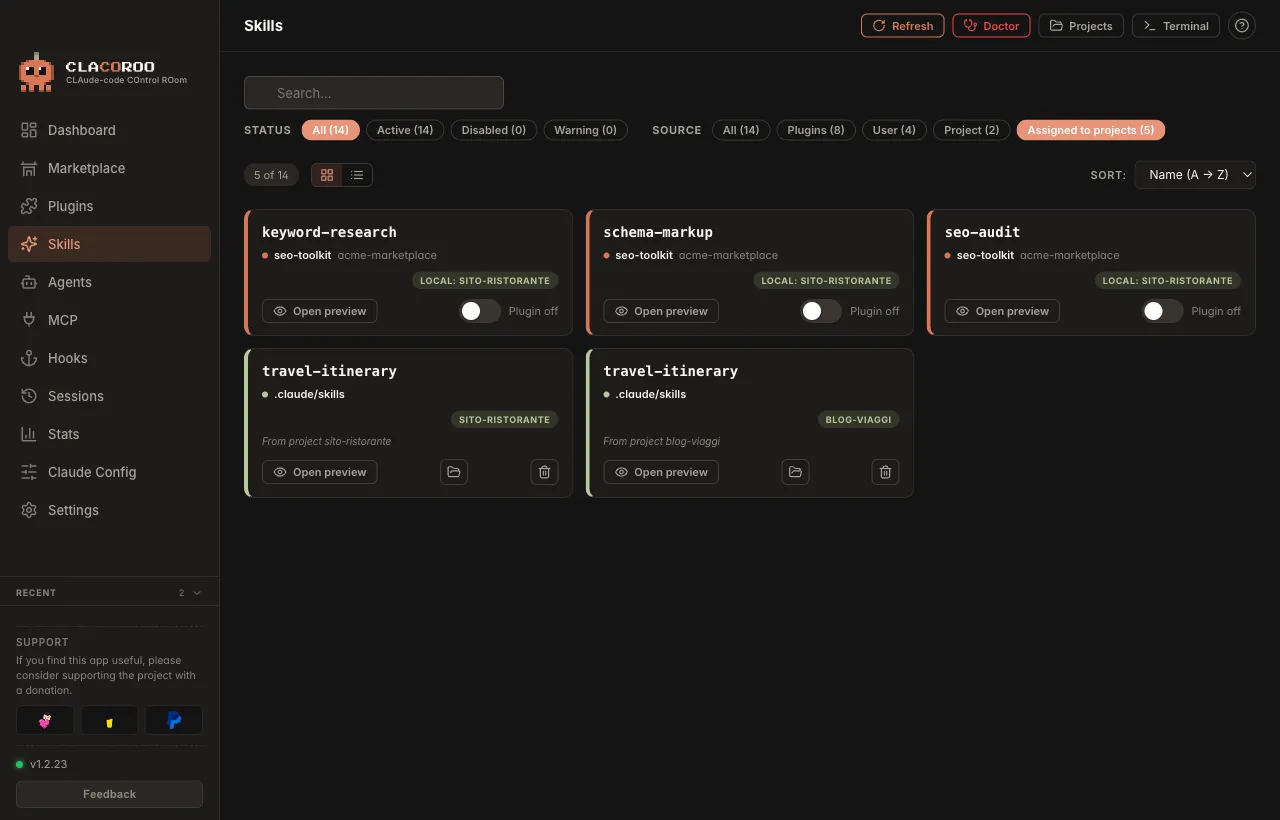
- A plugin active only in some projects has the Local: project name badge and no longer looks disabled.
- An assigned personal skill appears as a project skill, one card per project.
- A library skill with no projects stays visible with the In library badge, so it does not look like it vanished.
- The Assigned to projects filter in Plugins, Skills and Agents gathers everything at once.
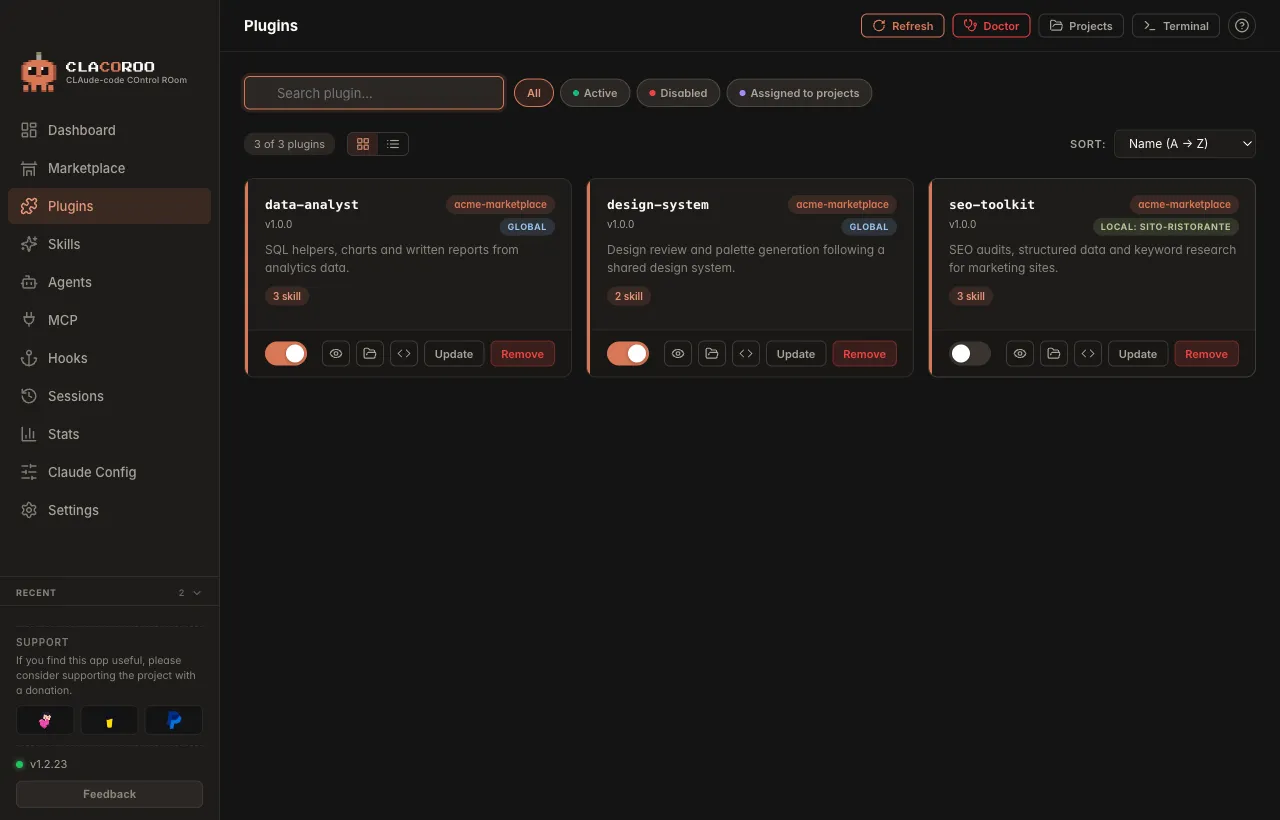
The plugin switch keeps representing the global state: for an assigned plugin it stays off, because it is off at user level.
Good to know
- Open a new session of Claude Code in the project: sessions that are already open do not re-read the settings.
- It works with personal skills and with plugins installed at user level. A plugin’s skills move together with the plugin.
- MCP servers are not included.
- A project to assign to must be tracked: add it from the list first.